Tecaser 2026.4.0 is live. The web app can now be installed on your phone, tablet or computer like any other app, keeps working when the connection drops, and lets you take a photo the moment you report an issue or log a service.
Install Tecaser from the browser
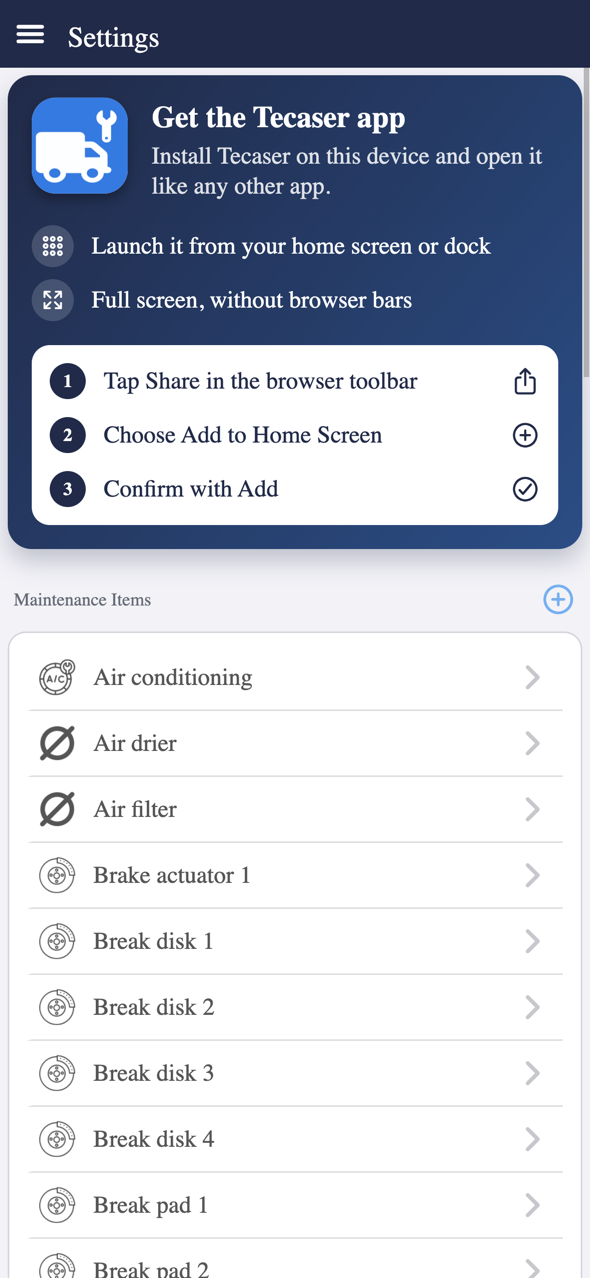
Open app.tecaser.techmetria.io and choose Install app in Settings. Tecaser then opens from your home screen, dock or app list, full screen and without browser bars.
- Android, Windows, macOS and Linux (Chrome, Edge): one tap opens the browser's installation dialog.
- iPhone and iPad (Safari): Tecaser shows the steps — tap Share, choose Add to Home Screen, confirm with Add.
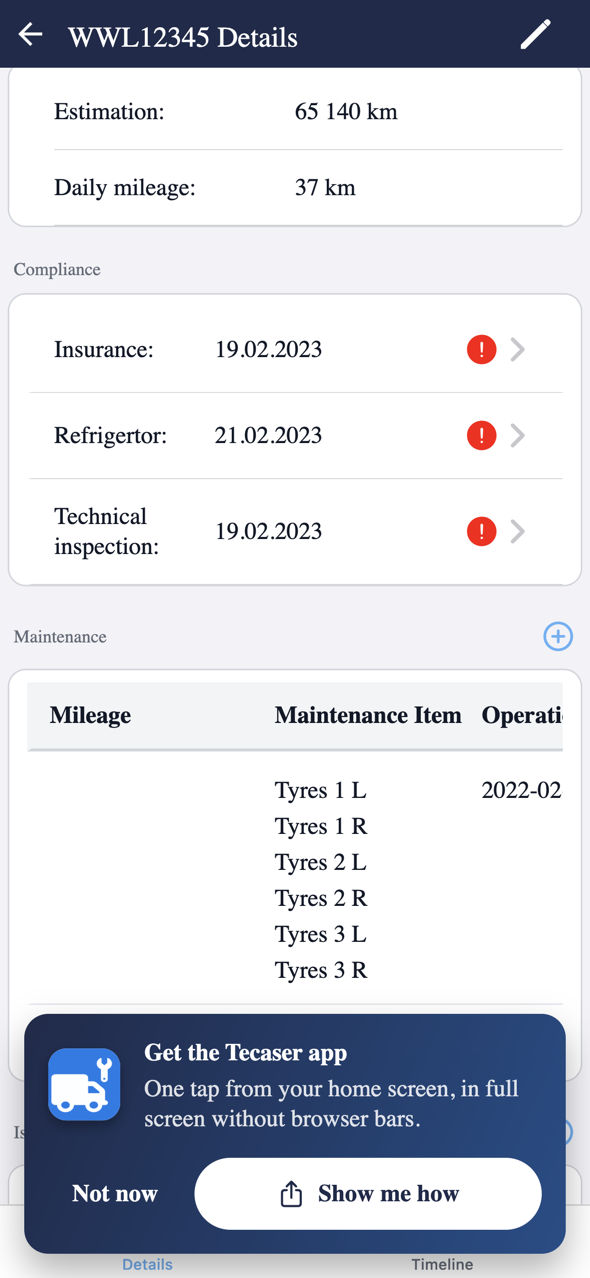
Tecaser also suggests installing with a short Get the Tecaser app prompt — tap Show me how to see the steps.
Quick actions from the app icon
Press and hold (or right-click) the installed Tecaser icon to jump straight to what you need: Report issue, Record service, Record refuelling, Add vehicle, or open Vehicles, Issues and Services. When a quick action needs a vehicle, you pick it right on the form.
Keep working when the connection drops
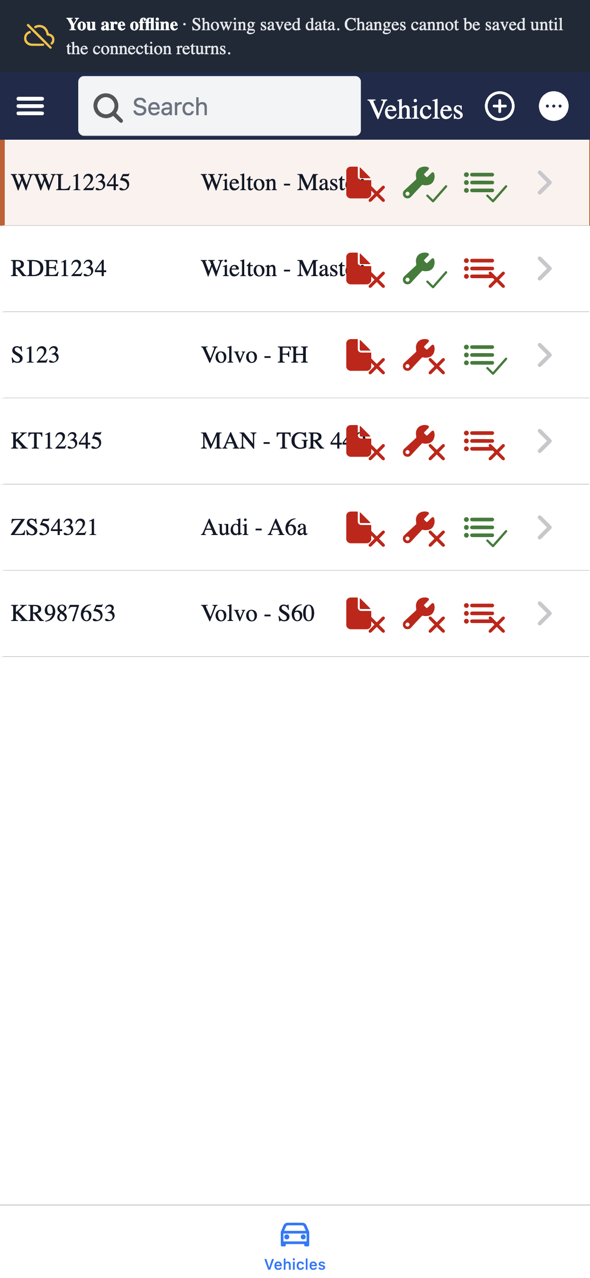
Tecaser now tells you when you are offline and shows the data it has already saved, so you can still look things up in a garage basement or on the road. Saving changes waits until the connection returns, and Tecaser lets you know when you are back online.
Need the whole fleet at hand? Turn on Preload vehicles for offline use in Settings, and Tecaser downloads every vehicle in the background so their screens open without a connection. This uses more data and storage, so it is off by default.
Take a photo right in the form
When you report an issue or record a service, you can now Take photo with your device's camera straight from the browser, or Choose from library. No more switching to the camera app and uploading afterwards.
Faster maintenance reports and vehicle screens
The maintenance report now prepares every vehicle's maintenance indicators in advance and keeps them up to date as services are recorded, so the report opens noticeably faster on large fleets. Vehicle screens load faster too, and only download what has actually changed.
Get the update
The web app updates itself the next time you open it. Install it from app.tecaser.techmetria.io, or get the mobile app on the download page.
As always, let us know what you think — your feedback shapes what we build next.